A POS for several outlets or branches in one account
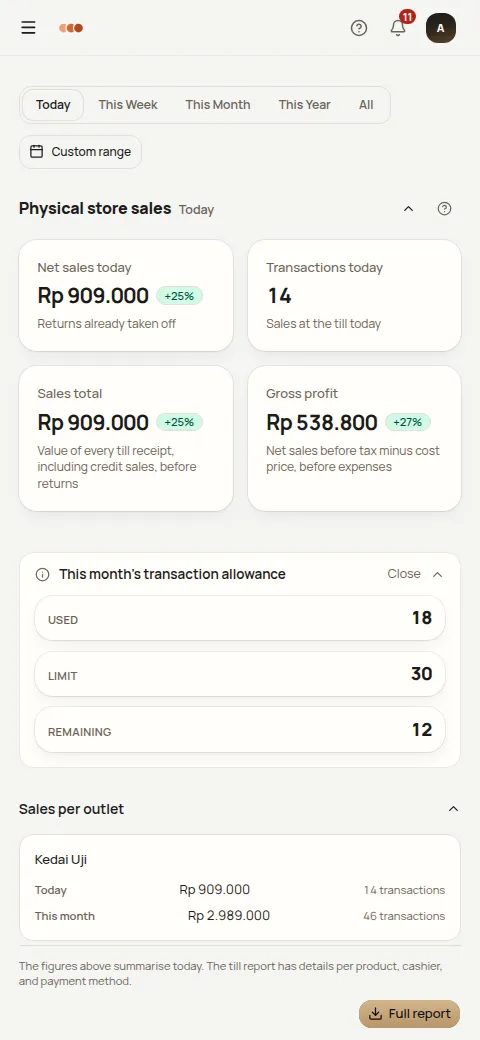
Each outlet is one physical shop with its own stock, prices and receipt numbers, and one account can run several tills at once. The dashboard shows sales per outlet, best sellers and low stock, and reports can be viewed per outlet, hour, cashier and item.
Free for 30 transactions every 30 days
How it works
Add each outlet
Each outlet is one physical shop with its own address, receipt settings and stock.
Set prices per outlet
Every item has a base selling price, and each outlet may set its own. When an outlet has no price, the till uses the base price.
Give staff the right access
Owner, staff and access rights live in one account. A cashier only sees what their role allows, and sensitive actions need a manager’s PIN.
Compare outlets
The dashboard shows sales per outlet, best sellers and low stock. Reports can be viewed per outlet, hour, cashier, item and payment method.
What comes with it
Stock transfers, damage, expiry dates
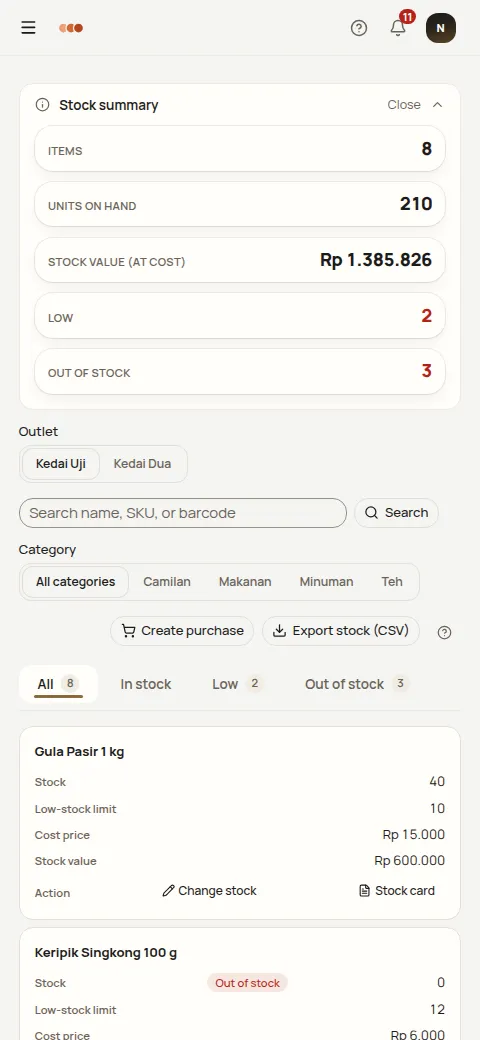
Send goods between outlets: stock leaves the source when sent and arrives at the destination when received. Broken or spoiled goods are booked as a loss, and expiry dates flag items running out within 7 days.
Manager PIN
Voids, returns, discounts above the limit, manual price changes, and opening the drawer without a sale need a manager’s PIN. Who approved each one is recorded.
Shifts and stock counts
Open and close shifts with a cash count, X and Z reports, and stock counts whose differences go straight into the outlet’s stock.
Profit, expenses, cash book
Record rent, electricity and wages as expenses. The Profit page works out net profit from sales, cost of goods sold, expenses and damaged stock, compares it with the previous period, and downloads as CSV for your accountant.
Frequently asked questions
Guides by type of shop
POS for retail shops
Point of sale for grocery and clothing shops on Android or the web: scan barcodes, sell by weight, take cash, your own QR, a card terminal or store credit.
POS for cafés and restaurants
Open orders per table or takeaway, send them to the kitchen screen and printer, let guests order via a table QR, and split the bill per guest.
Stock management
Stock per outlet drops with every sale: supplier purchases, transfers, stock counts, damaged goods and expiry dates, plus net profit per period.
Offline POS
On Android and the web, Lamxo keeps selling when the internet drops and sends the data once you're back online. Receipt printers via Bluetooth, USB or network.
Get your shop’s till in order today
Sign up free. Your first 30 till transactions every 30 days cost nothing.